TV Sizes Explained in CM and Inches: Complete Conversion Guide (2026)
Buying a new television often begins with one simple question:
How big is a 55-inch TV in centimetres?
Many shoppers know the screen size they want but struggle to visualize the actual dimensions. Television manufacturers advertise screen sizes using inches measured diagonally, while many homeowners measure available space in centimetres or metres.
This mismatch can lead to costly mistakes. A TV that looks perfect online may be too wide for your cabinet, too tall for your wall, or simply too large for your room.
This guide explains TV sizes in both centimetres and inches, helping you understand exactly how much space different television sizes require before you buy. Use our TV Size Comparison Tool to compare any two sizes side by side.
Quick Conversion
Need exact width and height dimensions? Scroll down to the complete dimensions chart below.
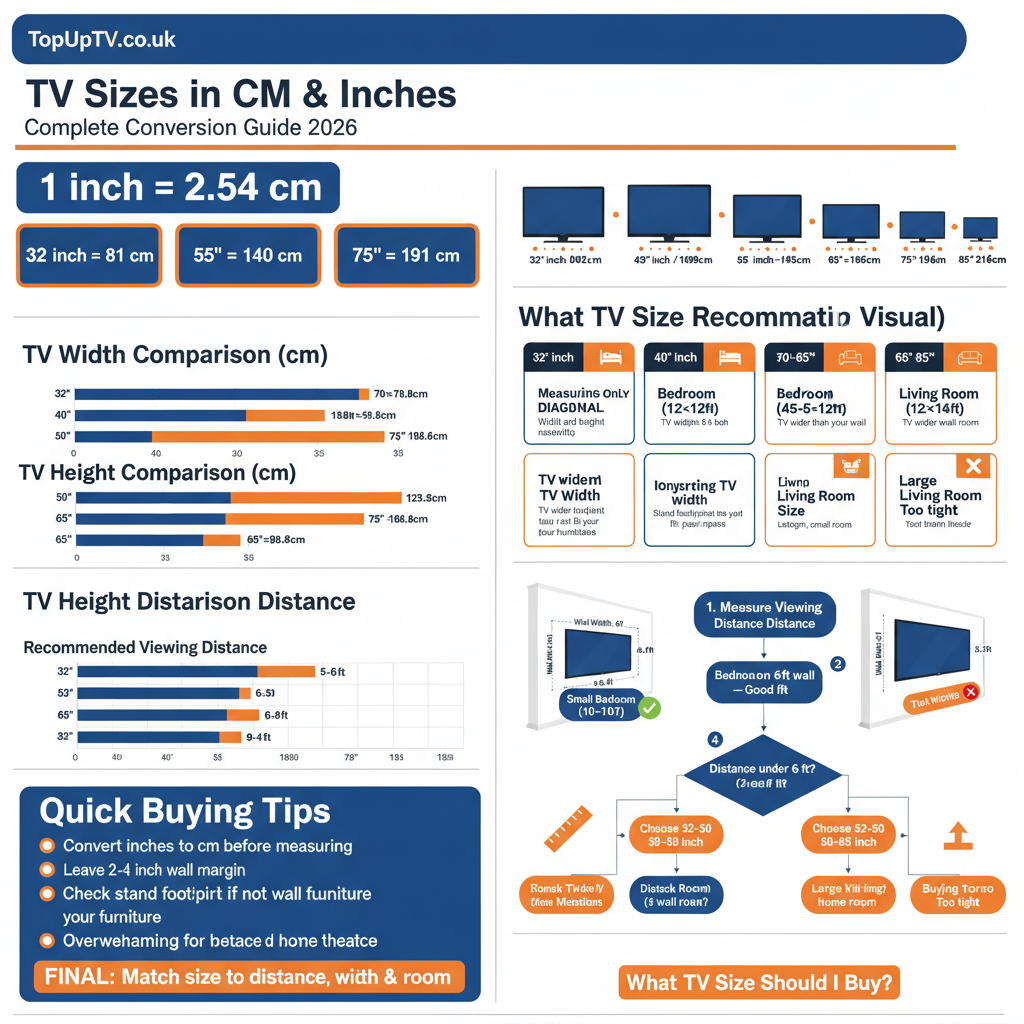
Table of Contents
Free TV Size Tools
What Does TV Size Actually Mean?
When a television is described as a:
- 32-inch TV
- 43-inch TV
- 55-inch TV
- 65-inch TV
- 75-inch TV
the measurement refers to the diagonal distance from one corner of the screen to the opposite corner.
It does not represent:
- Width
- Height
- Depth
As a result, two TVs with similar diagonal sizes can occupy significantly different amounts of wall space depending on their design and bezel thickness.
TV Size Conversion Chart
| TV Size (Inches) | Diagonal (CM) |
|---|---|
| 32" | 81 cm |
| 40" | 102 cm |
| 43" | 109 cm |
| 50" | 127 cm |
| 55" | 140 cm |
| 65" | 165 cm |
| 75" | 191 cm |
| 85" | 216 cm |
This conversion is based on:
Common TV Dimensions in CM
The table below shows the approximate dimensions of modern 16:9 televisions.
| TV Size | Width | Height |
|---|---|---|
| 32" | 71 cm | 40 cm |
| 40" | 89 cm | 50 cm |
| 43" | 95 cm | 54 cm |
| 50" | 111 cm | 62 cm |
| 55" | 122 cm | 69 cm |
| 65" | 144 cm | 81 cm |
| 75" | 166 cm | 93 cm |
| 85" | 188 cm | 106 cm |
Actual dimensions vary slightly by manufacturer.
TV Width vs Screen Size
Many buyers focus on diagonal measurement while forgetting that width is often the limiting factor.
For example:
| TV Size | Approximate Width |
|---|---|
| 43" | 95 cm |
| 55" | 122 cm |
| 65" | 144 cm |
| 75" | 166 cm |
| 85" | 188 cm |
Before purchasing, always measure:
- Wall width
- TV stand width
- Cabinet opening
- Alcove space
A television may technically fit the room while still looking oversized in the available wall area. Use our Wall Fit Calculator to check before you buy.
How to Measure a TV Correctly
If you already own a television, measure:
Width
Left edge to right edge.
Height
Top edge to bottom edge.
Diagonal
Bottom-left corner to top-right corner.
Depth
Front screen surface to rear panel.
Remember that the manufacturer's advertised size only reflects the diagonal screen measurement.
Best TV Size for Different Room Sizes
Small Rooms (Under 120 sq ft)
Recommended sizes:
- 32"
- 40"
- 43"
Examples:
- Small bedrooms
- Dorm rooms
- Studio apartments
For more guidance, see our Best TV Size for Small Rooms guide.
Medium Rooms (120–250 sq ft)
Recommended sizes:
- 50"
- 55"
- 65"
Examples:
- Living rooms
- Family rooms
- Open-plan apartments
For more details, see our Best TV Size for Living Room guide.
Large Rooms (250+ sq ft)
Recommended sizes:
- 65"
- 75"
- 85"
Large spaces benefit from larger screens because viewers typically sit farther away.
Viewing Distance Recommendations
Choosing the right viewing distance is just as important as selecting the correct TV size.
| TV Size | Recommended Distance |
|---|---|
| 32" | 4–6 ft |
| 43" | 5–7 ft |
| 50" | 6–8 ft |
| 55" | 7–9 ft |
| 65" | 8–10 ft |
| 75" | 10–12 ft |
| 85" | 11–14 ft |
You can also use our Viewing Distance Calculator for personalized recommendations.
Wall-Mounted vs TV Stand Placement
Wall Mounting
Advantages:
- Saves space
- Cleaner appearance
- Better viewing angles
- Ideal for larger screens
TV Stand Placement
Advantages:
- Easier installation
- Flexible positioning
- No wall drilling required
Regardless of installation method, always verify the TV's actual width before purchasing. Use our Stand Checker to confirm your furniture can support the TV.
Common TV Size Mistakes
Measuring Only the Diagonal
The advertised size tells you very little about the actual wall space required.
Ignoring Stand Dimensions
Some TV stands add several extra centimetres to the total width.
Buying Too Large
An oversized television can dominate a room and become uncomfortable to watch.
Buying Too Small
Many buyers regret choosing a smaller TV after only a few weeks of use.
Forgetting Viewing Distance
A TV should match both the room size and where people actually sit.
Inches vs CM: Quick Reference
| Inches | Centimetres |
|---|---|
| 32" | 81 cm |
| 43" | 109 cm |
| 50" | 127 cm |
| 55" | 140 cm |
| 65" | 165 cm |
| 75" | 191 cm |
| 85" | 216 cm |
Bookmark this chart for future TV purchases.
Frequently Asked Questions
How many centimetres is a 55-inch TV?
A 55-inch television has a diagonal measurement of approximately 140 cm.
How wide is a 65-inch TV?
Most 65-inch televisions are approximately 144 cm wide.
Is TV size measured horizontally?
No. TV size is measured diagonally from one corner of the screen to the opposite corner.
What TV size is 165 cm?
A diagonal measurement of approximately 165 cm corresponds to a 65-inch television.
Is a 75-inch TV too big for a living room?
Not necessarily. Most living rooms with seating distances of 10 feet or more can comfortably accommodate a 75-inch television.
How do you convert TV size from inches to cm?
To convert a TV size from inches to centimetres, multiply the diagonal measurement in inches by 2.54. For example, a 50 inch TV is 50 × 2.54 = 127 cm diagonally.
Final Thoughts
Understanding TV sizes in centimetres and inches makes choosing a television much easier. Instead of relying solely on the advertised screen size, focus on the actual width, height, viewing distance, and available wall space.
A properly sized TV delivers a better viewing experience, fits your room naturally, and prevents expensive sizing mistakes.
Before making your final decision, compare dimensions carefully and use viewing distance recommendations to find the perfect screen size for your space.